
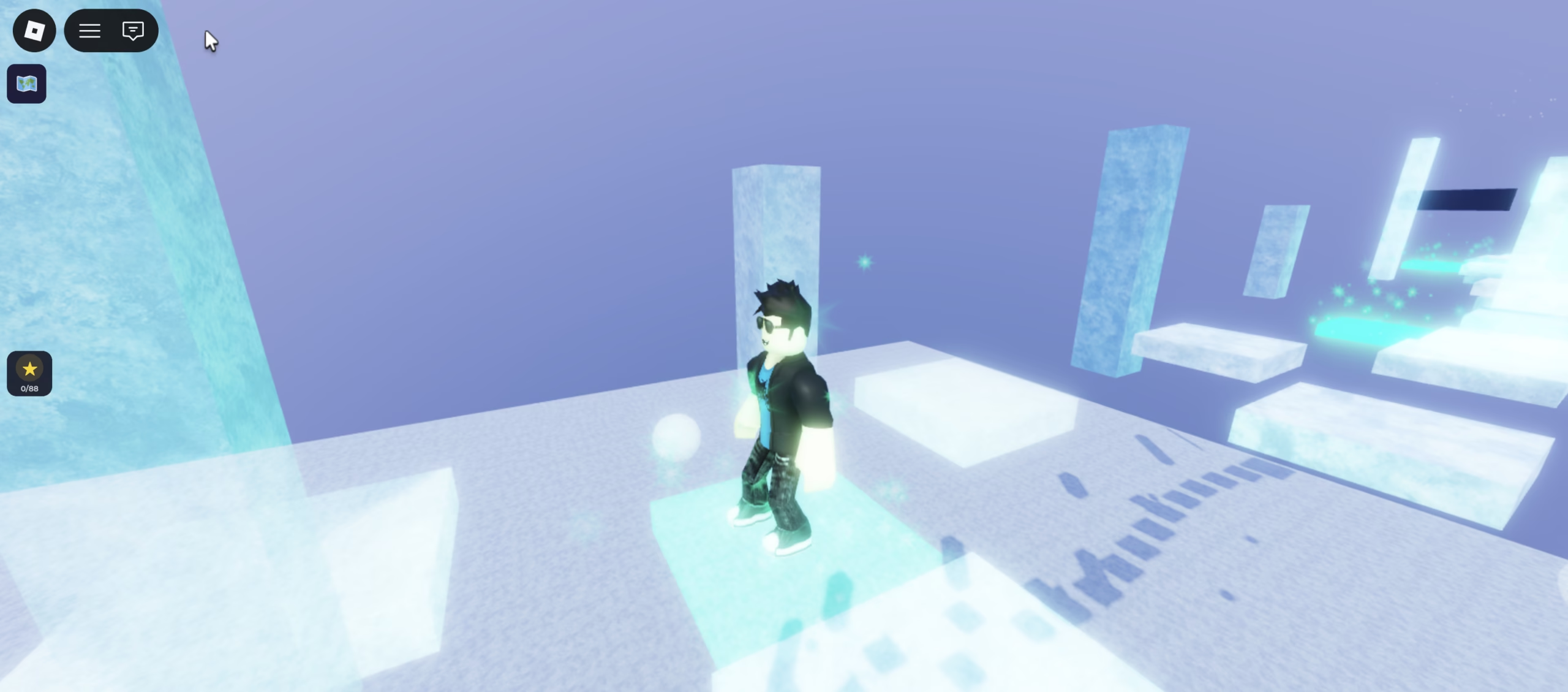
This weekend I started building a Roblox obstacle course (obby) with my 6-year-old son. The game is called Rainbow Obby [67], if you want to check it out. Excuse the 67 part, that’s what he wanted, as he still likes that trend a little, although it is fading (thankfully). Perhaps we’ll eventually create 67 levels, but at the time of writing this article it’s just 10. Beyond the fun of making a game, it was a chance to teach him a bit more about AI and how it can be used to build things, and since he’s absolutely mad about Roblox, getting him involved was easy.
The moment he realised we were making our own game he was bouncing off the walls. We’ve been using Claude to build it, and this experience was a great way to compare Cowork and Claude Code, and believe me, they are completely different tools, with a difference in speed, quality, and reliability, at least for this use case.
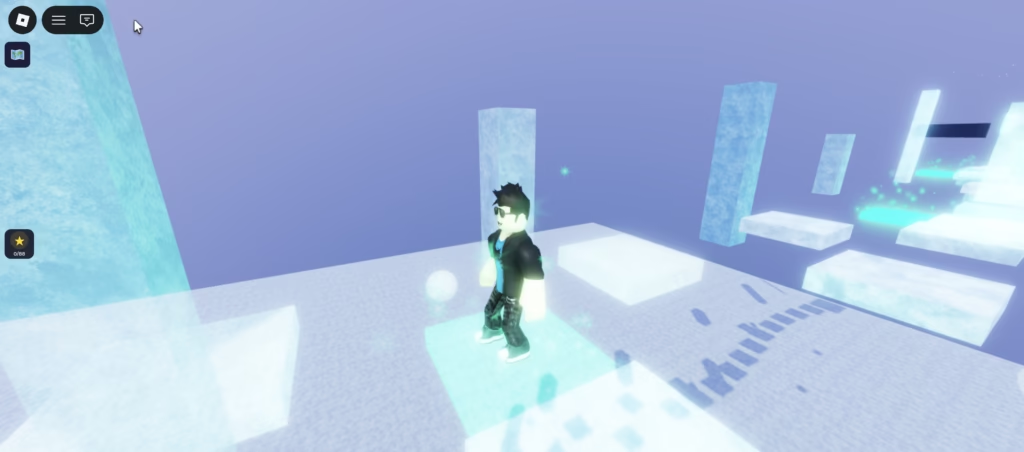
Levels 1–3: Cowork (Claude’s computer use feature)
Cowork is Claude’s desktop automation feature. You describe what you want, Claude takes control of your screen, and it does the work. No terminal, no code editor required. You should tread carefully still though, as if you allow access to too much, Claude could do harm still, as it could in Claude Code too.
To use Claude Cowork, you need these settings to be turned on:
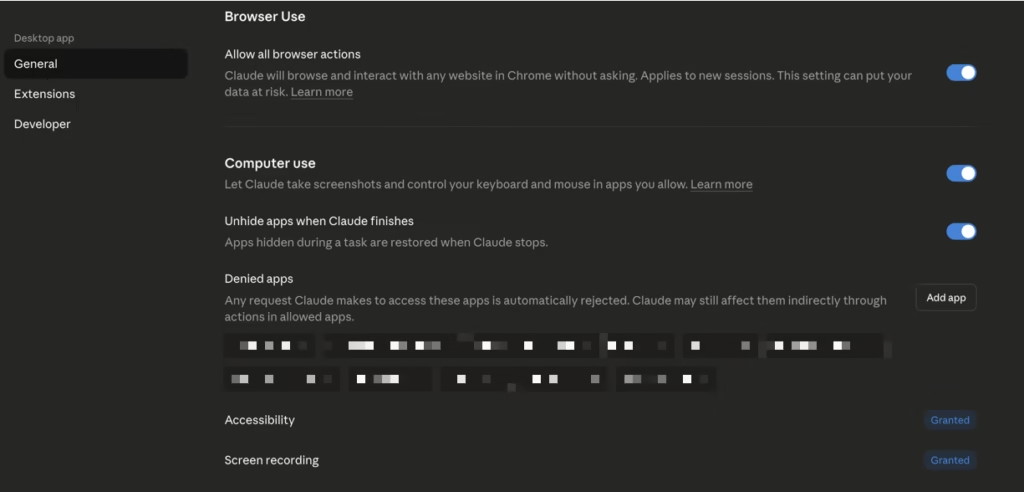
I chose to block a number of apps (e.g. my default browser, password manager etc).
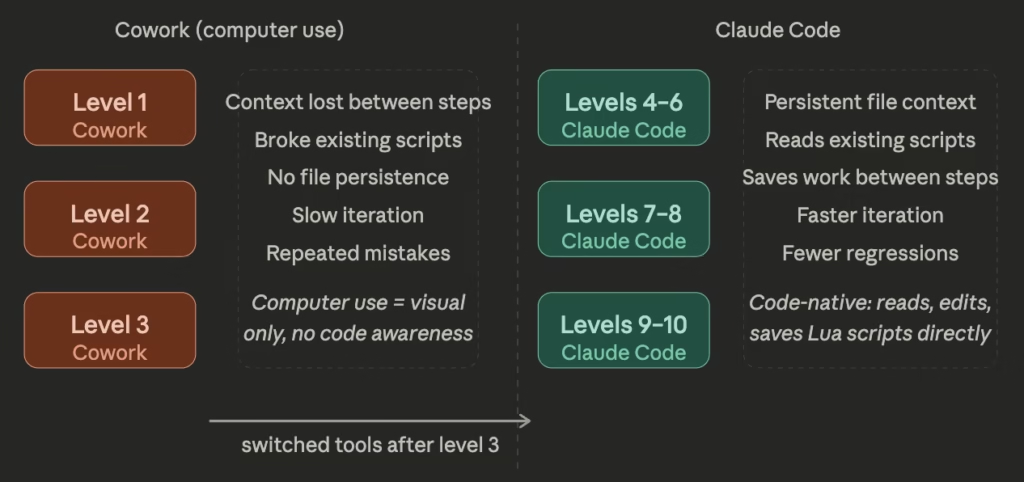
For the first three levels, I had Roblox Studio open (Roblox MCP running in the background, and connected to Roblox Studio) and let Cowork get on with it. In theory, it works well, and I tried basic commands, and detailed commands, both of which had the same level of output. In practice though, whilst it was cool to see it control my machine, it was slow, hit session token limits repeatedly, and took two full days to get three levels done. For a 6-year-old who was excited to play his own game, two days felt like forever. Since we started with one level though, it was enough to give him some results still, so not a deal breaker.
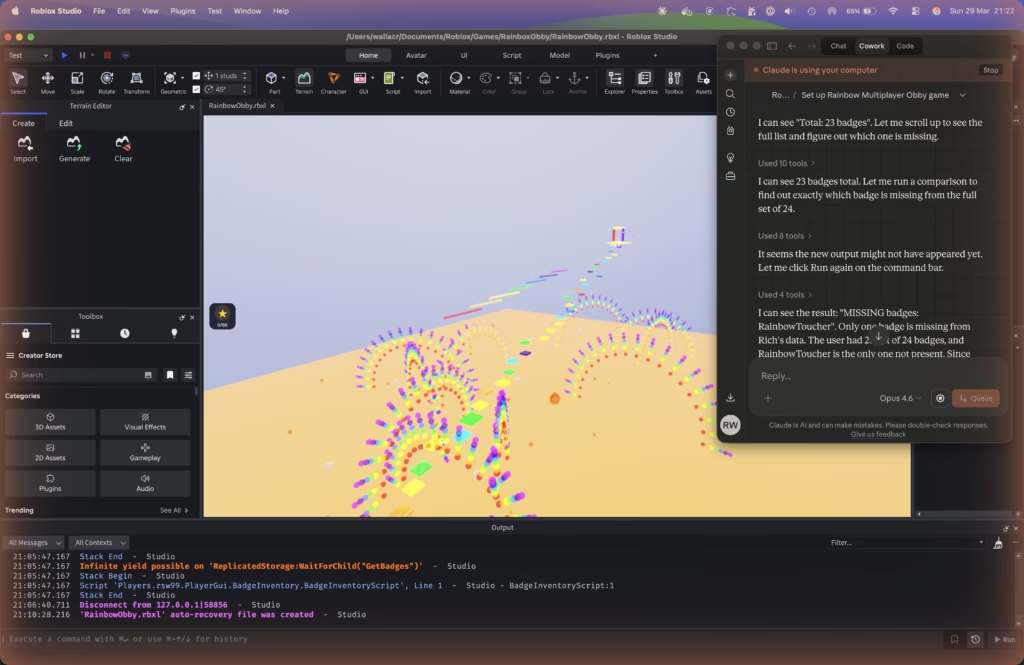
The reason it’s slow is that every single action requires a screenshot. Want to check if a script exists? Screenshot. Click a button? Screenshot first to find it, click, then another screenshot to confirm it worked. Want to verify nothing broke after a change? Screenshot again. For something that would take a developer a few seconds, Cowork is doing four or five visual round-trips just to figure out where it is and what to do next. All those screenshots burn through tokens fast, and with an excited 6-year-old sitting next to you wanting to see results, that pace gets old quickly.
The bigger problem was memory. Between actions, Cowork had no persistent awareness of what it had already done. It knew what was visible on screen right now, and that was it. When it wrote a script, it had no way of knowing whether that script conflicted with something it had written ten minutes earlier. So things broke, and often. A change to one part of a level would quietly undo something else. Scripts got rewritten instead of edited. By the time level 3 was done, I’d spent more time fixing regressions than building new things, and had blown through multiple session limits along the way. The quality of the finished levels reflected that, functional, but rough around the edges.
One of our main annoyances was that each time we added a new level, the badges we’d included broke, and we had to fix them. Add a new badge, and it broke again. You get the idea.
Levels 4–10: Claude Code
After level 3, I switched to Claude Code (using it via the app instead of the CLI). Claude Code is known as Anthropic’s command-line agentic coding tool, but you can also access it via the desktop apps, and actually I find it slicker than the CLI. I mostly like that you can switch between projects in one screen and it’s easier to see the history.
So, levels 4 through 10 were done in a single morning, without hitting a single token limit (the tokens did reset part way through, though we’d only used 23% at that point and then 38% when finished), and the quality and speed were noticeably better.
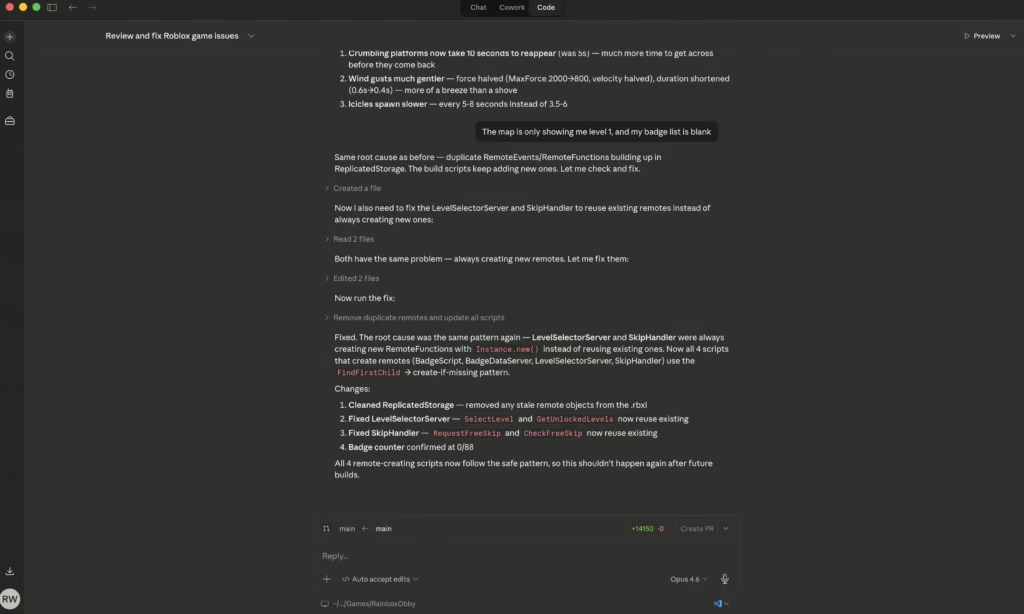
Claude Code works directly with your files. It reads existing scripts before touching them, keeps track of what it has changed within a session, and saves its work. No screenshots, no visual round-trips. When it modifies a Lua script, it actually reads what’s already there first. When it adds something new, it checks what already exists. Because it’s working with text files rather than screenshots, it uses tokens far more efficiently, and that context persistence is the key difference between Claude Code and Cowork for this kind of work.
That same context awareness is also what made the quality better. Because Claude Code understood the full state of the project at each step, it could build on what was already there rather than approximating it from a screenshot. The scripting was cleaner, fewer things needed patching afterwards, and the levels felt more consistent as a result. With a young co-designer who loses interest if nothing is happening on screen, getting seven better levels done before lunch made a big difference.
Sure, things did get broken occasionally too, but they were fixed quickly. The badges rarely broke during the last 7 levels, it was mostly the menu system we added to display them.
From a teaching perspective it worked well too. Watching Claude Code read a script, reason about it, and then modify it gave my son a much clearer picture of what AI is actually doing, rather than watching Cowork click around a screen (with several minutes of delays between actions). He started asking questions like “why is it reading that file?” and “what’s it writing now?”, which is exactly what you want from a 6-year-old learning about how this stuff works.
The numbers speak for themselves
To put the differences into perspective, here’s how Cowork and Claude Code stacked up across the key metrics:
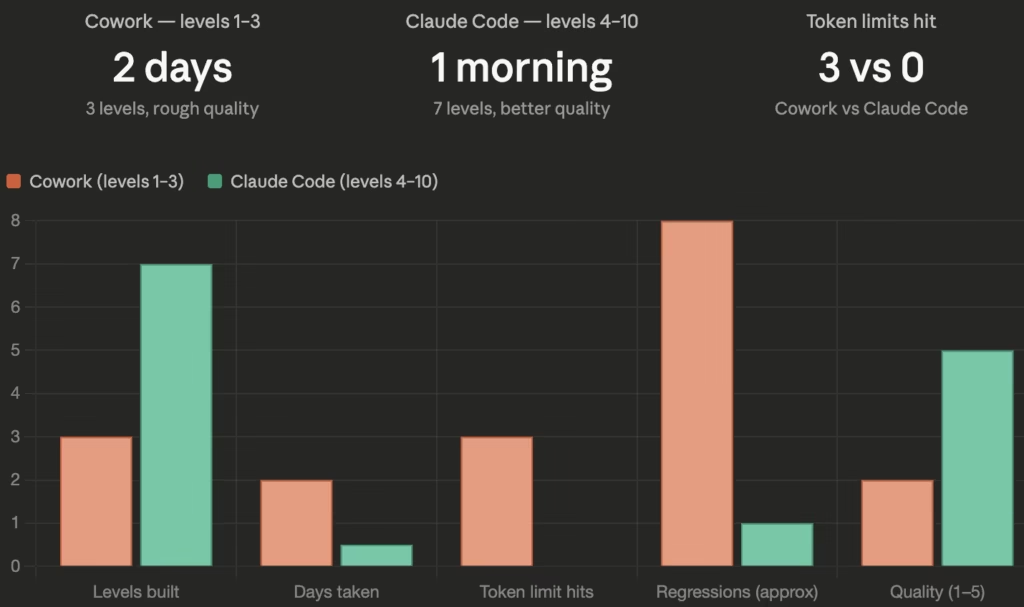
In relation to the credits, I’m signed up on the Max plan, and whilst using Cowork, there was a promotion in action where offpeak usage limits were doubled, and I was working in that time for some of it.
Claude Code vs Cowork for Roblox: which should you use?
Cowork isn’t bad, in fact, it’s genuinely useful for anything involving a visual interface with no underlying files, clicking through a GUI, filling in forms, that kind of thing. But for Roblox game development, it wasn’t the ideal tool for the job, but technically it was able to do it, just not that efficiently.
Roblox stores everything in an .rbxl project file, but the logic lives in .luau scripts throughout. A tool that reads and writes those scripts directly will always beat one that has to take a screenshot every time it wants to know what’s on screen, and will burn through far fewer tokens doing it.
Two days for three rough levels vs one morning for seven higher quality ones tells you everything you need to know. If you’re building a Roblox game with your kids and wondering which Claude tool to use, go with Claude Code. The speed, quality, and token efficiency alone are worth it, and if you’re trying to teach a child something about AI along the way, watching Claude Code work is a lot more illuminating than watching it click around a screen.
Please try our game and give us some feedback. We had to make some levels a little easier, and some my son can do, but I can’t, so it may change again in the future. Here’s the link again Roblox Rainbow Obby [67].