
Containers have revolutionised how we deploy and manage applications, but with so many ways to run them, choosing the right platform can feel confusing. Whether you’re running a home lab, managing a small business infrastructure, or scaling enterprise workloads, I hope this guide will help you find the best fit.
Understanding Your Needs
Before diving into specific platforms, consider these questions:
- Scale: Are you running a handful of containers or hundreds?
- Environment: Home lab, development machine, production servers, or edge devices?
- Management complexity: Do you need orchestration, or is simple container management sufficient?
- Resources: What hardware do you have available?
- Maintenance: How much time can you dedicate to managing the platform?
Docker Desktop: The Developer’s Choice
Best for: Local development, testing, and learning
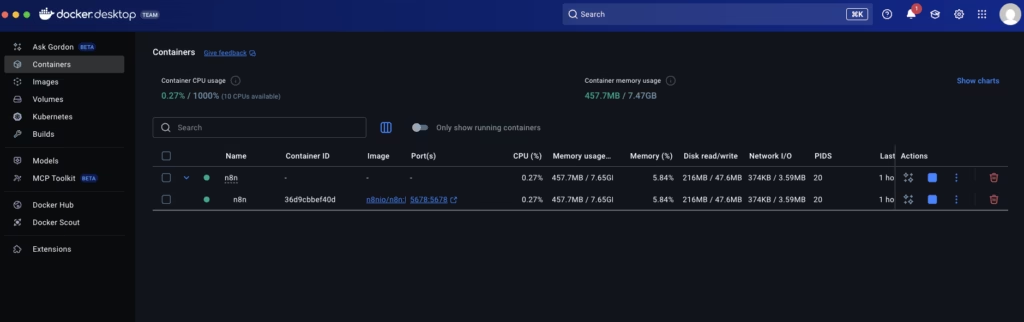
Docker Desktop provides the most straightforward entry point into containerisation. It runs seamlessly on macOS and Windows, abstracting away the complexity of virtual machines and networking.
Strengths:
- Intuitive GUI for managing containers, images, and volumes
- Excellent integration with development tools and IDEs
- Built-in Kubernetes option for local testing
- Automatic updates and streamlined installation
- Strong documentation and community support
Limitations:
- Resource intensive (requires VM on macOS/Windows)
- Licencing restrictions for larger organisations
- Not suitable for production workloads
- Limited to single-machine deployments
When to choose it: You’re developing containerised applications and need a reliable local environment that “just works”. Docker Desktop excels when you want to focus on building rather than infrastructure management.
Raspberry Pi: Lightweight and Versatile

Best for: Home labs, edge computing, learning, and IoT projects
Running containers on Raspberry Pi (or similar ARM-based boards) offers an affordable, energy-efficient platform for self-hosted services and experimentation.
Strengths:
- Minimal power consumption (ideal for always-on services)
- Low cost entry point
- Perfect for learning container orchestration
- Excellent community and educational resources
- ARM architecture support increasingly mature
Limitations:
- Limited computational resources
- ARM compatibility can sometimes be problematic with some images
- Storage I/O often becomes a bottleneck
- Not suitable for resource-intensive workloads
- Requires more hands-on configuration
When to choose it: You’re running lightweight services at home (media servers, home automation, personal websites), want a low-cost lab environment, or need containers at the edge with minimal power requirements.
NAS (Synology, QNAP, Unraid): Convenient Integration

Best for: Home users and small businesses with existing NAS infrastructure
Modern NAS devices offer integrated container platforms, combining storage and compute in a single, manageable appliance.
Strengths:
- Leverages existing hardware investment
- User-friendly web interfaces (especially Synology’s Container Manager)
- Built-in storage management and backup capabilities
- Lower power consumption than dedicated servers
- Suitable for family and small business use cases
Limitations:
- Hardware limitations (CPU, RAM) compared to servers
- Vendor-specific interfaces and limitations
- Updates tied to vendor release cycles
- May struggle with resource-intensive containers
- Storage I/O shared with other NAS functions
When to choose it: You already own a capable NAS, run primarily lightweight services, value integrated backup and storage management, or need a turnkey solution for home or small office deployments.
Docker on Linux Servers: The Production Workhorse

Best for: Production workloads, VPS deployments, and flexible self-hosting
Running Docker directly on Linux servers (physical or virtual) provides maximum flexibility and performance for production deployments.
Strengths:
- Native performance (no VM overhead)
- Complete control over configuration
- Suitable for production workloads
- Works with any Linux distribution
- Cost-effective on cloud providers
- Integration with systemd for service management
Limitations:
- Requires Linux knowledge and command-line comfort
- Manual orchestration for multi-container applications
- No built-in clustering or high availability
- Responsibility for security updates and patching
- Monitoring and logging require additional tools
When to choose it: You’re deploying to VPS providers, running production services, need maximum performance, have Linux expertise, or require specific kernel or networking configurations.
Kubernetes: Enterprise Orchestration

Best for: Large-scale deployments, microservices architectures, and enterprise environments
Kubernetes has become the de facto standard for container orchestration, offering sophisticated management for complex, distributed applications.
Strengths:
- Industry standard with broad ecosystem
- Automatic scaling, self-healing, and load balancing
- Sophisticated networking and storage abstractions
- Multi-cloud portability
- Declarative configuration management
- Rich tooling and monitoring ecosystem
Limitations:
- Steep learning curve
- Complex to set up and maintain
- Overkill for simple deployments
- Resource overhead (control plane, etcd, etc.)
- Rapid ecosystem evolution requires ongoing learning
When to choose it: You’re managing dozens or hundreds of services, require high availability and automatic failover, need sophisticated deployment strategies (blue-green, canary), work in a multi-team environment, or your organisation has standardised on Kubernetes.
Lightweight Alternatives: K3s, MicroK8s, and Nomad
Best for: Kubernetes-like orchestration without the complexity
Several platforms offer orchestration capabilities between Docker and full Kubernetes:
K3s strips Kubernetes down to essentials, perfect for edge devices, CI/CD, or resource-constrained environments. It’s particularly popular in home labs and IoT scenarios.
MicroK8s provides a lightweight, snap-based Kubernetes that’s trivial to install on Ubuntu systems, ideal for workstations and small-scale production deployments.
Nomad offers a simpler orchestration model than Kubernetes, with first-class support for containers, VMs, and standalone binaries. It’s worth considering if you find Kubernetes overly complex but need orchestration.
When to choose them: You need orchestration features but find Kubernetes excessive, run on resource-constrained hardware, want faster iteration in development/testing, or prefer operational simplicity.
Making Your Decision
Here’s a quick decision tree to guide your choice:
Just starting with containers? → Docker Desktop
Running 3-10 services at home? → Raspberry Pi or NAS (if you own one)
Deploying to a VPS or cloud VM? → Docker on Linux
Managing 10-50 services with basic orchestration needs? → K3s or Nomad
Running microservices at scale? → Kubernetes
Learning Kubernetes without the complexity? → MicroK8s or K3s
A Hybrid Approach
Many successful setups combine multiple platforms:
- Docker Desktop for local development
- K3s on Raspberry Pi cluster for home lab experimentation
- Kubernetes in production for critical services
- Docker on Linux for simple production services that don’t require orchestration
Final Thoughts
There’s no universally “best” container platform – the right choice depends on your specific requirements, expertise, and infrastructure. Start simple, especially if you’re new to containers. You can always migrate to more sophisticated platforms as your needs grow.
The containerisation ecosystem continues to evolve rapidly, but the fundamentals remain: choose the platform that matches your scale, expertise, and operational requirements. Don’t let perfect be the enemy of good – it’s better to start with a simpler solution that you can manage confidently than to struggle with over-engineered infrastructure.
What’s your container platform of choice, and why? Let us know in the comments below.